Accounts payable for growing businesses on QuickBooks and Xero
Vendor bills in. Approved and posted to QuickBooks.
Duplicates caught. Coding learned. Only the exceptions reach you.
InvoxAI checks every bill against the ones you have already had, routes it to the right approver and posts it to QuickBooks Online, with an audit trail nobody can edit. When it isn't sure, it says so and asks a person instead of guessing.
We set your account up with you, on your own invoices. Paid plans start with a 14-day trial.
- $9
- Average cost of processing one bill by hand
- 1
- Expense account QuickBooks allows per bill — however many jobs it covers
- 0
- Audit entries anyone can delete. Including us
How it works. The whole payables loop, start to finish.
- 01
It arrives
Forward an invoice by email, upload a PDF or photo, or let vendors submit through a private link.
- 02
AI extracts it
Vendor, amount, dates and line items are read automatically, confidence-scored, and checked against past invoices for duplicates.
- 03
It's routed for approval
Thresholds, approval bands, multi-signature and rules decide who signs off. Nothing is approved by someone who isn't allowed to.
- 04
It syncs, audited
Approved bills post to QuickBooks Online exactly once — never twice — and every step is recorded in a trail nobody can edit.
The rest of the loop. Same product, same seeded books, nothing staged.
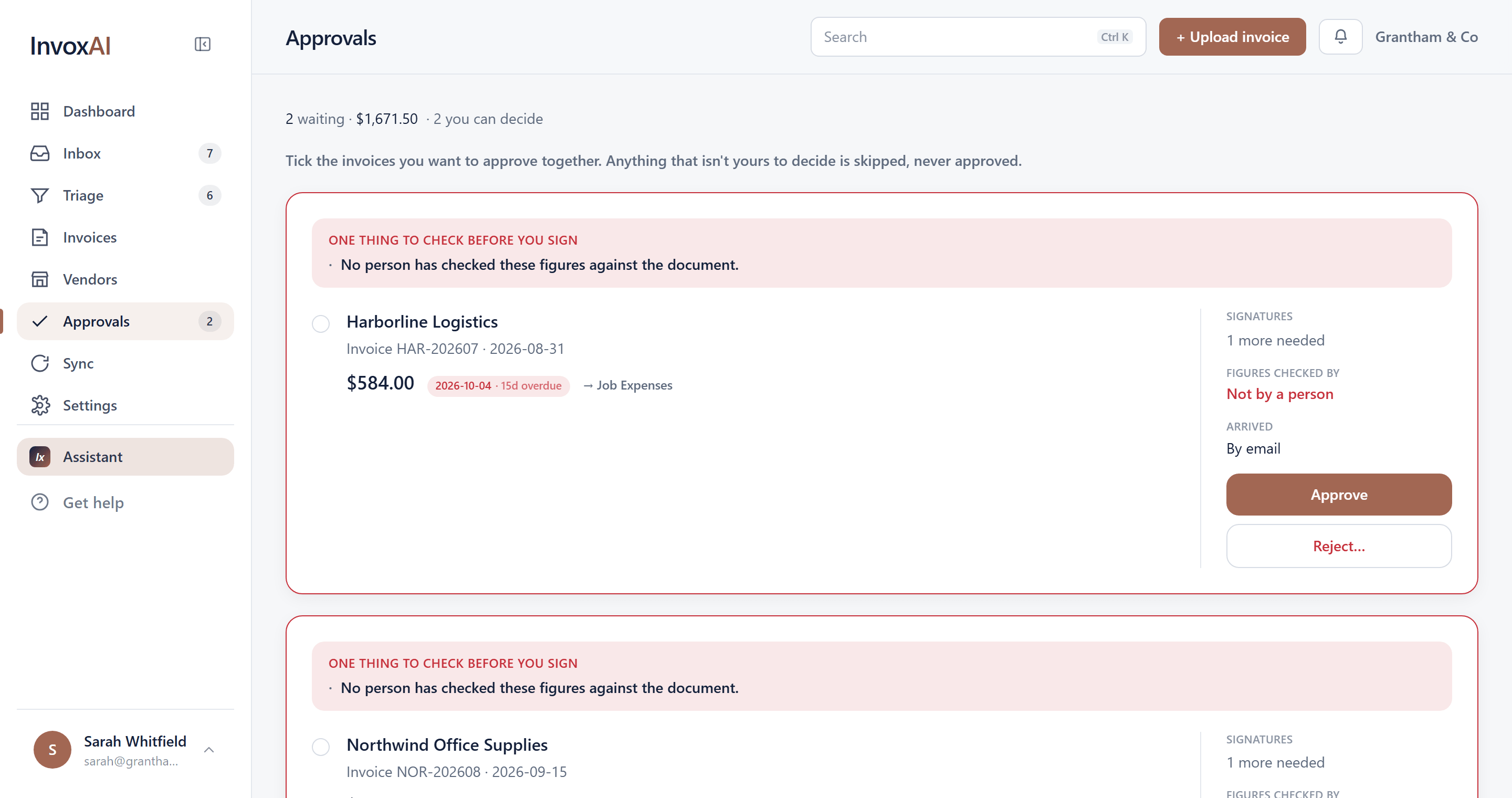
Read from the document, checked against it
Every field sits beside the page it came from, so verifying is looking rather than re-reading. Where it isn't sure, it says so instead of guessing.
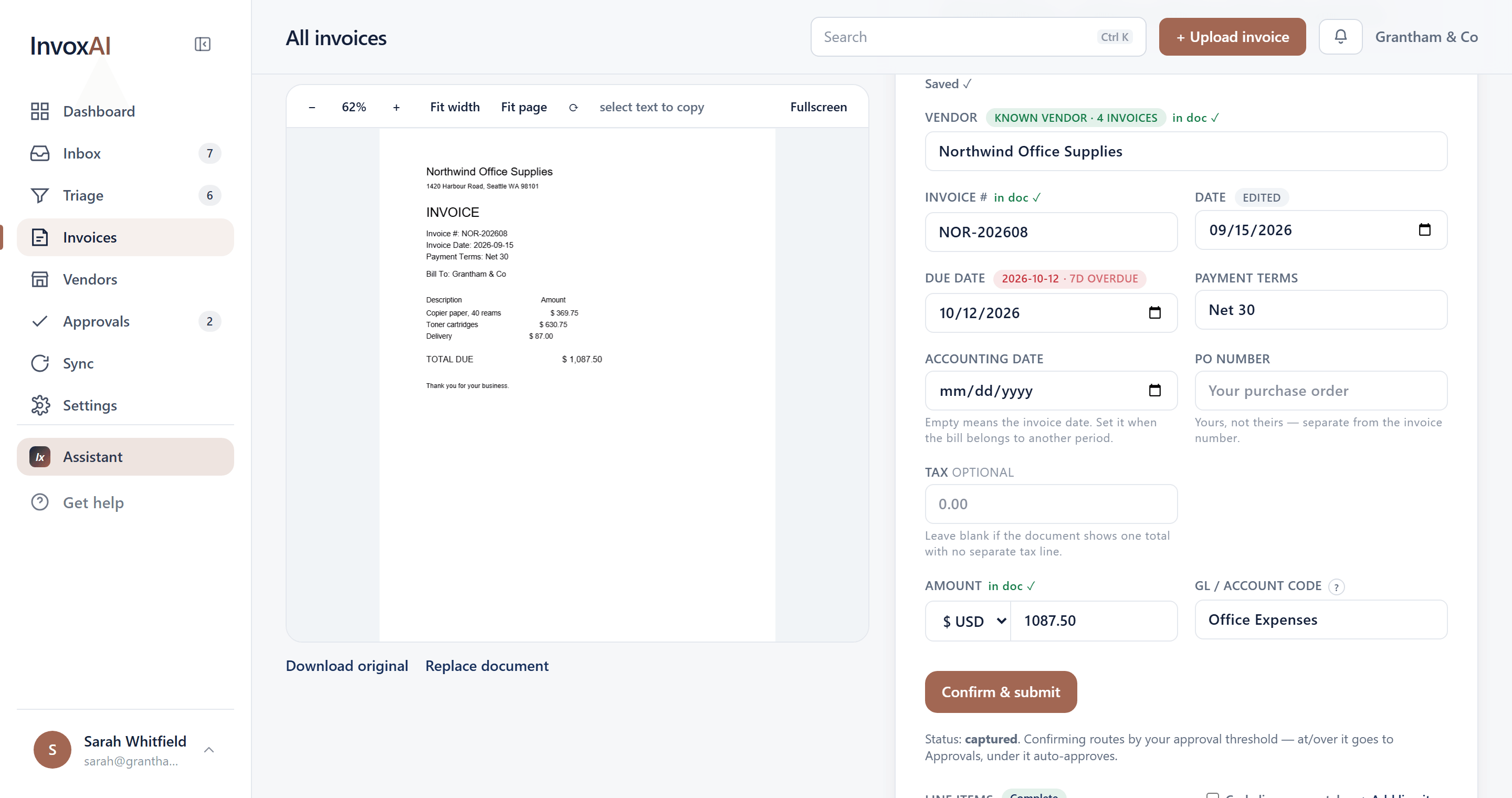
The same bill, twice
Checked against every bill you have already had. Same vendor, same number, same amount — stopped before it reaches an approver.
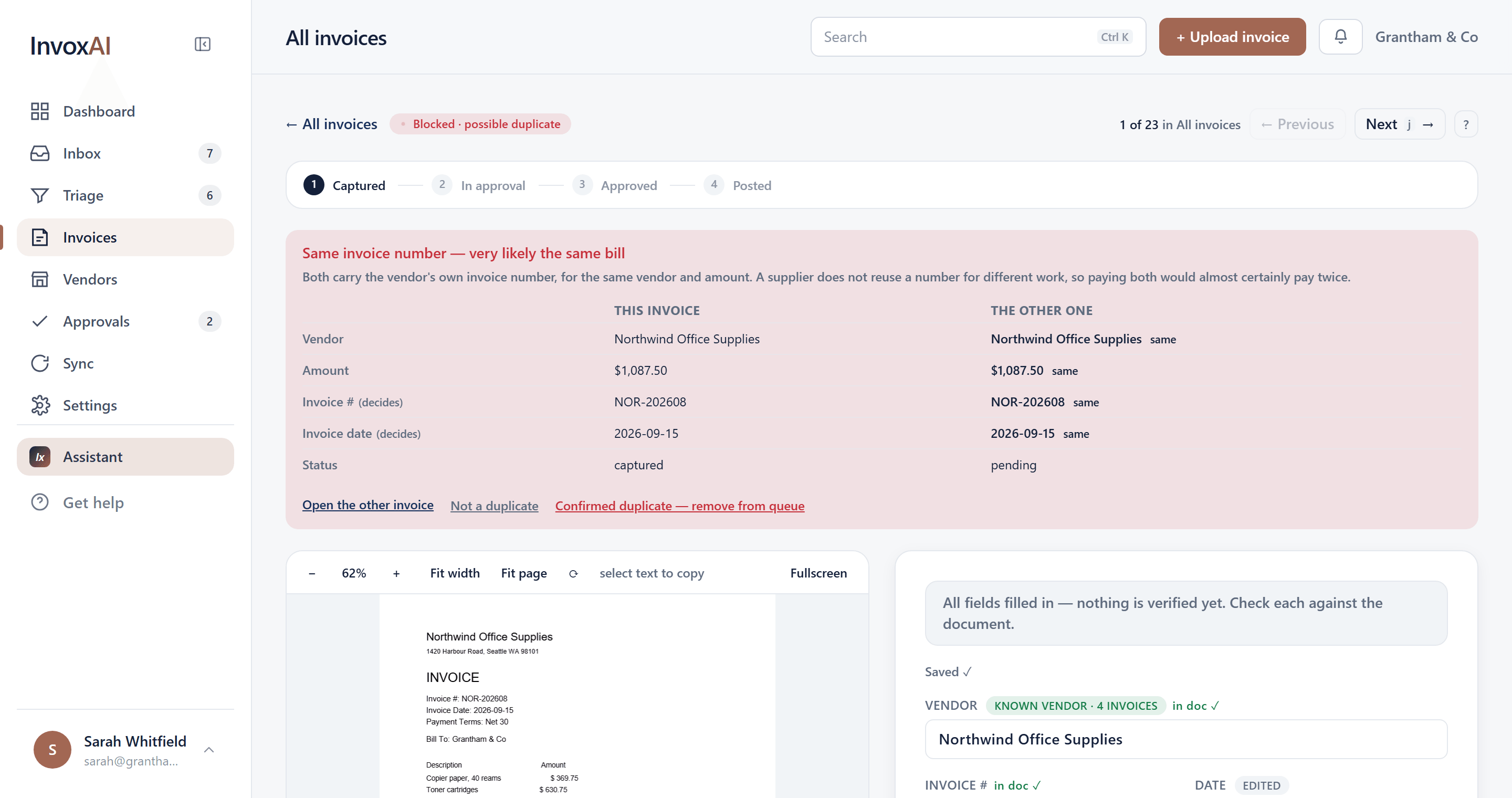
Only the exceptions reach you
Blocked, review and routine, each carrying the reason it landed there — a new vendor, no account code, an amount outside what this one usually bills.
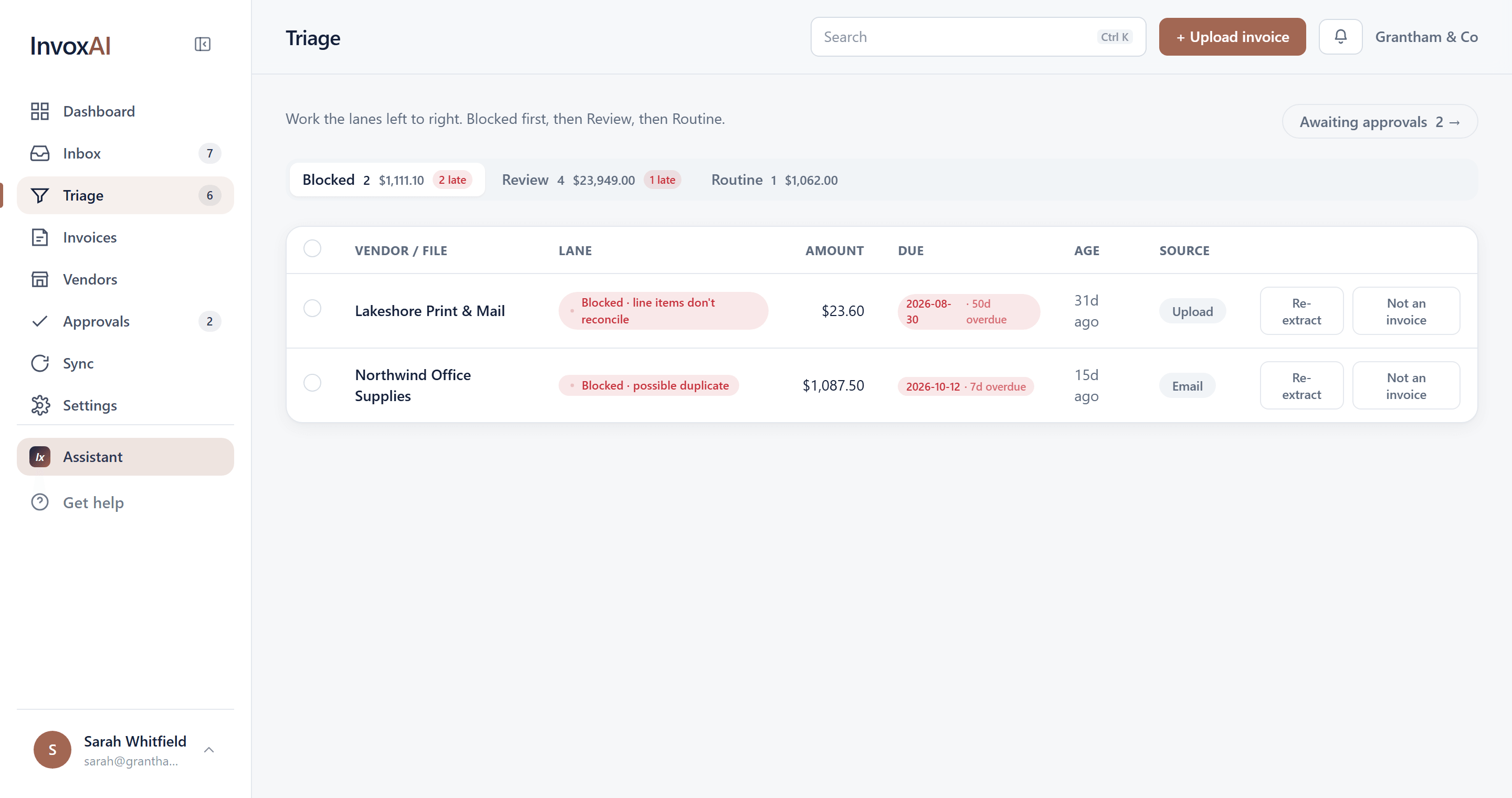
Approvers see what they are signing
Anything worth checking sits above the invoice — here, that nobody has checked the figures against the document. When there's nothing to flag, nothing appears.
Built for the person who closes the books.
- Duplicates caught before they're posted
- Every bill is checked against what you've already received. A second copy of the same invoice is stopped and shown to you, not posted.
- Learns how you code each vendor
- Pick the expense account once and InvoxAI remembers it for that vendor. Repeat bills code themselves; new ones come to you.
- Says when it isn't sure
- Each field carries its own confidence. Anything unclear goes to review instead of being guessed — a wrong account is an audit finding, a review is thirty seconds.
- Notices the bill that didn't come
- Rent, utilities and regular suppliers are tracked by their usual rhythm, so a missing bill is flagged before it turns into a late fee.
- Approvals that match your company
- Amount bands, multi-signature, rules by vendor or job, and out-of-office cover — so bills reach the right person and don't sit.
- An audit trail nobody can edit
- Every capture, edit, approval and sync is recorded permanently. Corrections are added, never written over.
Simple pricing. Set up with you.
Every plan starts with a guided setup on your own invoices and a 14-day trial. Prices are per month.
- Your price locked for as long as you stay — it never rises, whatever the list price does
- Set up on your own bills, with me, rather than a help page
- A direct line to the person building it, not a ticket queue
- What you need next goes to the front of the queue
In return I want to hear what is wrong with it. These five are the people whose work decides what this becomes.
Starter
Most popularFor a small business with a steady flow of vendor bills.
- 250 invoices / month
- QuickBooks Online sync
- Email, upload & vendor-link intake
- ROI dashboard + CSV export
- 14-day free trial
Growth
For growing teams with more volume and approval layers.
- 1,500 invoices / month
- Everything in Starter
- Approval hierarchy, bands & rules
- Out-of-office delegation
- Priority support
Works with QuickBooks Online and Xero.